API Reference
Tracing
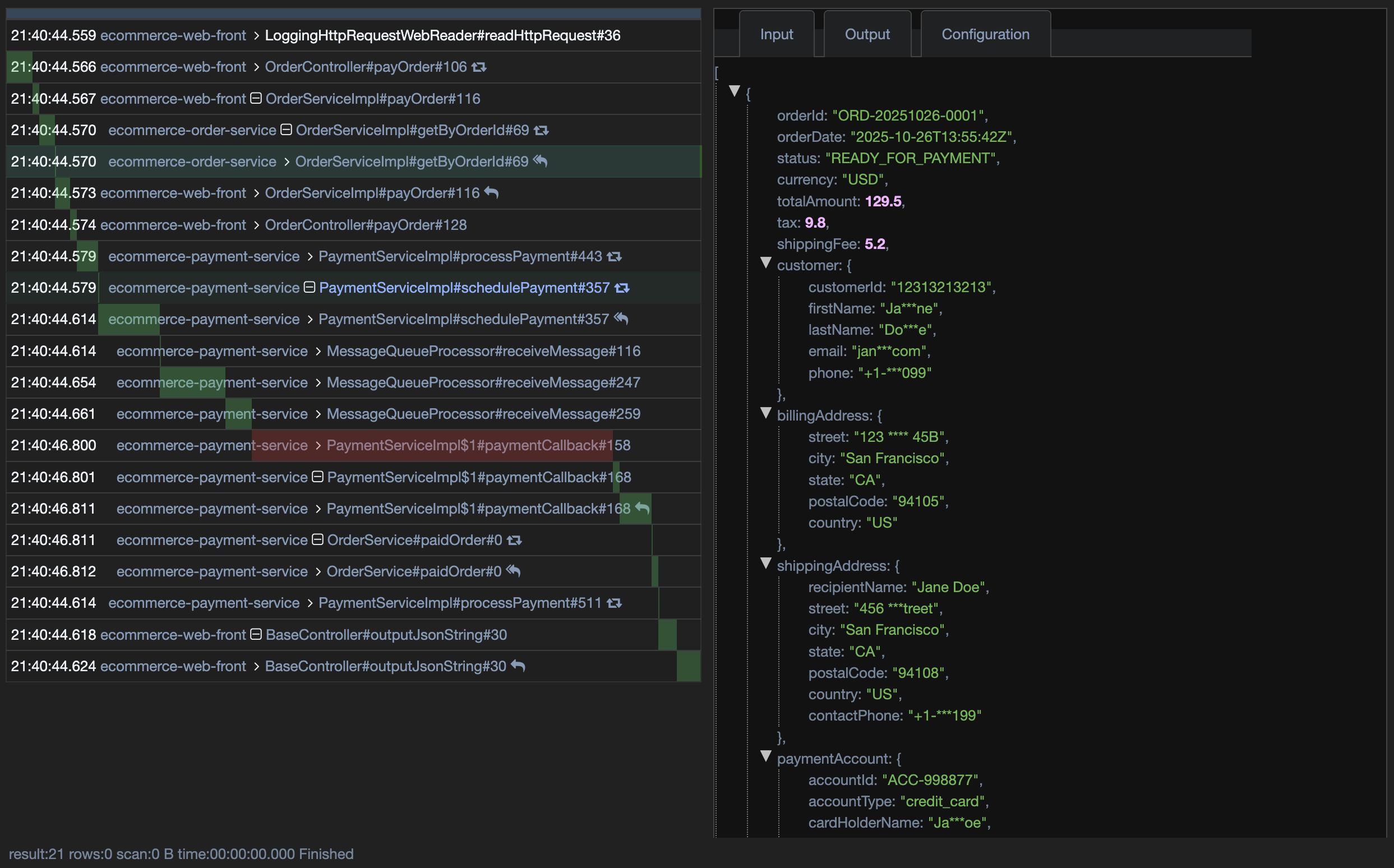
The primary APIs for creating tracing.
tracing requires writing and reading step log id between clients and servers.
Configuration YAML file - in spring
In pure java applications, you need to manually write and read step log id
bitryon:
  app-node:
    http-header-id-type: 1 # write log/trace id to the http response header; 0 default no write header, 1 trace id, 2 step log id
Write step log id - trace id
Write step log id (trace id) over HTTP:
// write step log id (trace id) header to the HTTP client, in your bean
public class ExampleWebHTTPClient {
	@Resource
	LoggerProvider bitryonLoggerProvider;

	public RestClient getRestClient() {
		return RestClient
			.builder(new RestTemplate(new HttpComponentsClientHttpRequestFactory(httpClient())))
			.baseUrl(getBaseUrl())

			// write step log id to the http request header to the next app/service to form traces
			.requestInterceptor(new LoggingHttpClientHeaderWriterInterceptor(bitryonLoggerProvider))
			.build();
	}
}
Read step log id - trace id
Read step log id (trace id) over HTTP:
// read step log id (trace id) header by filter in spring web
@Configuration
@Import(value= {
	AutoConfigurationBitryonLogger.class, // to load the configs from application.yml for logging related beans
})
public class ExampleWebServerConfiguration {

	@Resource
	LoggerProvider bitryonLoggerProvider;

	// read step log id from last app/service/http request header to form traces, and log http payload for specific paths
	@Bean
	FilterRegistrationBean<LoggingHttpRequestWebFilter> loggingResetInFilter() {
		FilterRegistrationBean<LoggingHttpRequestWebFilter> reg = new FilterRegistrationBean<>(
				new LoggingHttpRequestWebFilter(bitryonLoggerProvider, true));
		reg.setOrder(Ordered.HIGHEST_PRECEDENCE);
		reg.addUrlPatterns("/api", "/api/*", "/remote_api/*");
		return reg;
	}
}
Read step log id - trace id
Read step log id (trace id) over HTTP:
// read step log id (trace id) header by filter in spring web
@Configuration
@Import(value= {
	AutoConfigurationBitryonLogger.class, // to load the configs from application.yml for logging related beans
})
public class ExampleWebServerConfiguration {

	@Resource
	LoggerProvider bitryonLoggerProvider;

	// read step log id from last app/service/http request header to form traces, and log http payload for specific paths
	@Bean
	FilterRegistrationBean<LoggingHttpRequestWebFilter> loggingResetInFilter() {
		FilterRegistrationBean<LoggingHttpRequestWebFilter> reg = new FilterRegistrationBean<>(
				new LoggingHttpRequestWebFilter(bitryonLoggerProvider, true));
		reg.setOrder(Ordered.HIGHEST_PRECEDENCE);
		reg.addUrlPatterns("/api", "/api/*", "/remote_api/*");
		return reg;
	}
}
Tracing by HTTP headers
| Type | Key | Default | Description |
|---|---|---|---|
| HTTP_HEADER_STEP_LOG_ID | X-Step-Log-Id | null | Pass the step log id to the next service to track all of the traces. |
| HTTP_HEADER_STEP_TRACE_ID | X-Step-Trace-Id | null | Expose the trace id to HTTP headers |
| HTTP_HEADER_STEP_LOG_SKIP | X-Step-Log-Skip | false | to tell the next service to skip the trace, true skip, null or false not skip |
How to use step log id / trace id
Step log id = trace id sequence id.

To HTTP client, if no skip,
X-Step-Log-Id will always be writing to request header to the next service,
reading by web server from request header to continue the stack.
Eventually forming the tracing.

To display & test the trace, a web server
when bitryon.app-node.http-header-id-type =
  1, writes X-Step-Trace-Id to HTTP response header,
  2, writes X-Step-Log-Id to HTTP response header,
  0, writes no ids in HTTP response header

Pick up ids from HTTP response header,
connect to portal https://dev-portal.bitryon.io/trace.html?id=[X-Step-Trace-Id] / [X-Step-Log-Id]